
Carlos Delgado
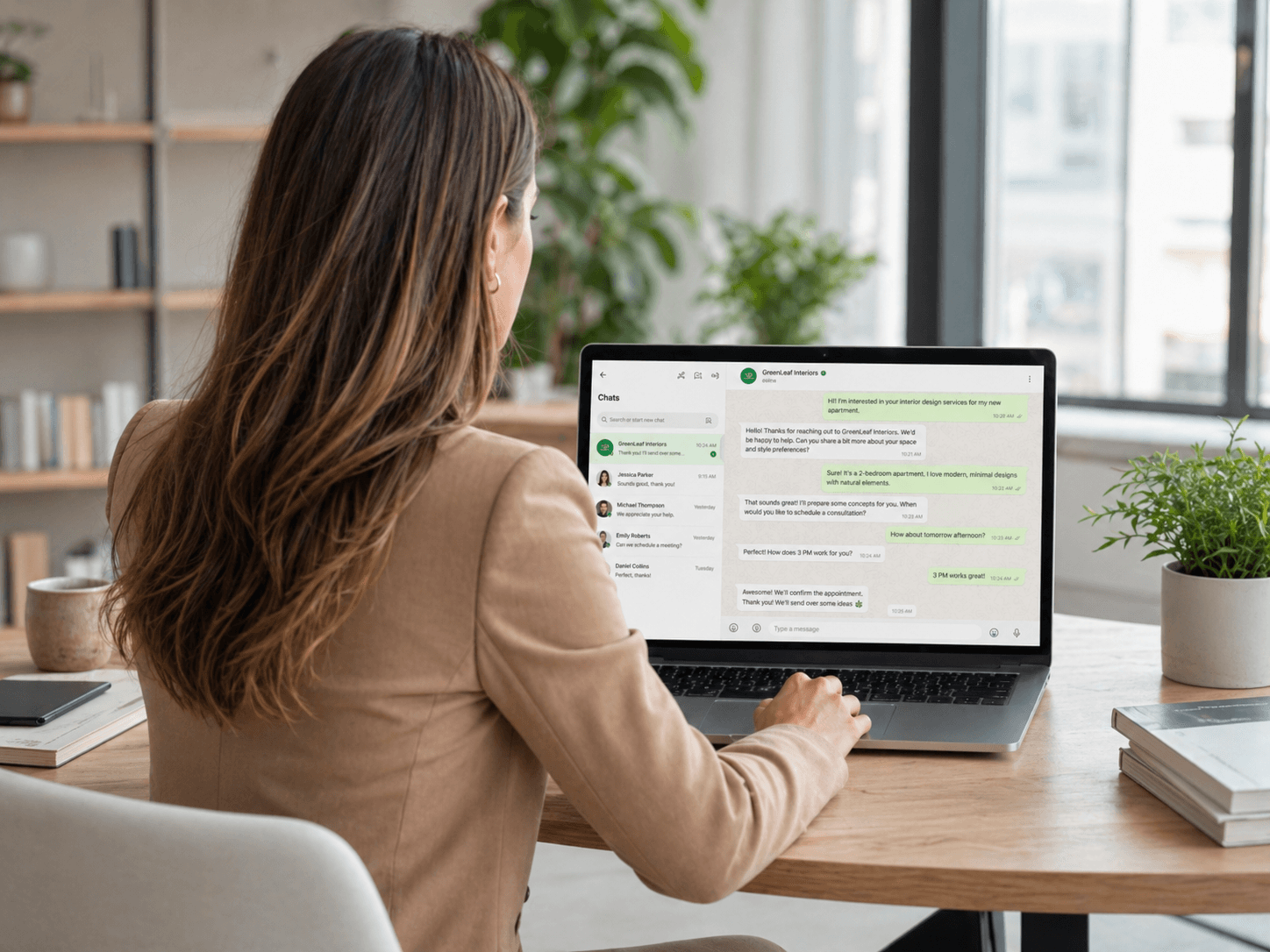
A WhatsApp AI agent is a software program connected to the WhatsApp Business API that handles conversations with customers automatically and escalating to a human when needed.
Unlike a basic chatbot that follows a fixed decision tree, a WhatsApp AI agent understands natural language, adapts to what the customer says, and takes action mid-conversation: checking availability, updating a CRM record, or confirming a booking without any manual input from your team. It connects to your WhatsApp Business number and runs 24/7, responding to every inbound message within seconds.
Quick Answer
A WhatsApp AI agent is an AI-powered program integrated with your WhatsApp Business API number. It reads incoming messages, understands the customer's intent, and responds in natural language. Setting one up requires access to the WhatsApp Business API (available through a Meta-approved Business Solution Provider), an AI agent platform, and integrations with your CRM and calendar.
What Is a WhatsApp AI Agent?
A WhatsApp AI agent is an AI system integrated with the WhatsApp Business API that conducts conversations with customers on your behalf. An AI agent understands intent, handles unexpected inputs, and continues the conversation toward the desired outcome even when the customer does not follow the expected path.
A WhatsApp AI agent can:
Respond to inbound messages instantly, at any hour
Understand what the customer is asking, even when phrased unexpectedly
Ask qualifying questions and interpret the answers
Check calendar availability and confirm bookings
Answer product and service questions from a knowledge base
Detect when the conversation requires a human and transfer it with full context
Log all conversation data to your CRM automatically
The agent lives inside your existing WhatsApp Business number. From the customer's perspective, they are messaging your business on WhatsApp, the same way they would message a contact. The experience is conversational and personalised, not form like.
How a WhatsApp AI Agent Works
Step 1: Customer Sends a Message
The customer initiates contact via your WhatsApp number, through a Click-to-WhatsApp ad, a QR code, a link on your website, or a direct message. The AI agent receives the message through the WhatsApp Business API and processes it immediately.
Step 2: Intent Recognition
The AI agent analyses the message to determine what the customer wants. Is this a new enquiry? A complaint? A request for information? A follow-up on a previous conversation? The agent identifies the intent and selects the appropriate response path.
Step 3: Conversation Handling
The agent conducts the conversation: asking qualifying questions, providing information, presenting options, and guiding the customer toward the next step. All responses are generated in natural language, matched to the tone and style defined in the agent's configuration. The conversation is logged in real time.
Step 4: Action Execution
When the customer provides the information needed to take action, the agent executes: booking an appointment in your calendar, creating a lead record in your CRM, sending a confirmation via a Meta-approved WhatsApp template, or triggering a follow-up sequence. These actions happen inside the conversation, without the customer needing to visit a separate page or fill in a form.
Step 5: Escalation to a Human Agent
When the AI agent detects that the conversation requires human judgment, a complaint, a complex question, an explicit request for a person, it transfers the conversation to a team member. The human agent receives the full conversation history and continues in the same thread. The customer does not need to repeat anything.
Step 6: Follow-Up Automation
For leads or customers who do not convert in the first conversation, the AI agent can trigger an automated follow-up sequence: a series of messages sent over the following days to re-engage interest, answer additional questions, or prompt a booking.
How to Integrate an AI Agent with WhatsApp
1. Get Access to the WhatsApp Business API
The free WhatsApp Business app does not support AI agent integration. You need the WhatsApp Business API, accessed through a Meta-approved Business Solution Provider (BSP). The BSP handles the technical setup: number verification, API credentials, and compliance with Meta's messaging policies. Your AI agent platform typically manages this as part of onboarding.
2. Choose an AI Agent Platform
Select a platform that connects to the WhatsApp Business API and provides the AI capabilities your use case requires. Key criteria:
Does the platform build custom agents or provide a generic template?
Does it integrate with your existing CRM and calendar?
Does it support human handoff with chat history?
Is it managed (they build and maintain the agent) or self-serve (you build it yourself)?
3. Build Your Agent's Knowledge Base
The AI agent needs to know what your business does, what questions your customers ask, how your team handles common scenarios, and what information it is and is not authorised to share. This is typically built from your website content, FAQ documents, product descriptions, and a review of how your best team members handle conversations.
4. Define the Conversation Flows
Map the main conversation paths your agent will handle: new lead qualification, appointment booking, FAQ responses, complaint handling, and escalation. Define the escalation triggers: which topics or signals should always route to a human. Keep qualification to 1–2 questions for first contact.
5. Connect Your CRM and Calendar
Integrate your AI agent platform with your CRM so that every conversation, qualification answer, and action is logged automatically. Connect your calendar so the agent can check availability and confirm bookings in real time. Test each integration before going live.
6. Submit and Approve Message Templates
Outbound messages on WhatsApp, including confirmation and follow-up messages, require Meta-approved templates. Submit your templates through your BSP and allow 24–48 hours for approval on standard templates. Have your templates ready before launch.
7. Test and Launch
Run through the full conversation flow as a test customer. Test every path: the standard qualification flow, FAQ questions, off-script inputs, and escalation triggers. Verify CRM sync and calendar booking. Launch with a monitoring period, the first two weeks typically surface the edge cases worth fixing.
WhatsApp AI Agent vs. WhatsApp Chatbot: What's the Difference?
The terms are often used interchangeably, but they describe meaningfully different systems:
A WhatsApp chatbot follows a pre-defined decision tree. It presents options, the customer selects one, and the bot follows the corresponding branch. It breaks when the customer types something unexpected or asks a question not in the script.
A WhatsApp AI agent understands natural language. It reads what the customer writes, interprets the intent, and responds appropriately, even when the input is unexpected, ambiguous, or phrased in an unusual way.
For simple, low-variance use cases (booking a specific service with a fixed set of options), a chatbot may be sufficient. For anything that involves open-ended customer inputs, multi-step qualification, or varied customer needs, an AI agent produces significantly better results.
Frequently Asked Questions
What is a WhatsApp AI agent?
A WhatsApp AI agent is an AI-powered program integrated with the WhatsApp Business API that handles customer conversations automatically. It reads incoming messages, understands the customer's intent, responds in natural language, and takes action, qualifying leads, booking appointments, answering questions, or escalating to a human, without manual input from your team.
Is there an AI agent that integrates with WhatsApp?
Yes. Several platforms offer AI agents that connect to the WhatsApp Business API. These include managed solutions (where the provider builds and runs the agent for you) and self-serve platforms (where you build the agent using their tools). Access to the WhatsApp Business API is required for all integrations, the free WhatsApp Business app does not support AI agent connectivity.
Do I need to code to set up a WhatsApp AI agent?
Not with a managed platform. Managed providers handle the technical integration, agent training, and ongoing optimisation. Self-serve platforms typically offer no-code or low-code builders for users comfortable configuring flows themselves. If you want a custom agent trained on your specific business content and processes, a managed solution is usually faster and more reliable than building it yourself.
How is a WhatsApp AI agent different from a chatbot?
A chatbot follows a fixed script. It presents options and follows branches based on what the customer selects. An AI agent understands natural language, it reads what the customer writes, interprets the intent, and responds appropriately even when the input is unexpected. For open-ended conversations with varied customer needs, an AI agent produces significantly better results than a rule-based chatbot.
What does it cost to run a WhatsApp AI agent?
Costs include WhatsApp Business API messaging fees (charged by Meta per conversation, with rates varying by country and conversation category), plus the platform fee. Some platforms charge a flat monthly fee; others charge per outcome, per qualified lead or per booked appointment. Per-outcome pricing is lower risk because you only pay when results are delivered.
How long does it take to set up a WhatsApp AI agent?
With a managed solution like Uptail, typical time-to-launch is 1–3 weeks. This covers API access, agent training, CRM and calendar integration, template submission, and testing. Self-serve implementations vary by platform and complexity, but typically take longer without dedicated technical resources.






