
Carlos Delgado
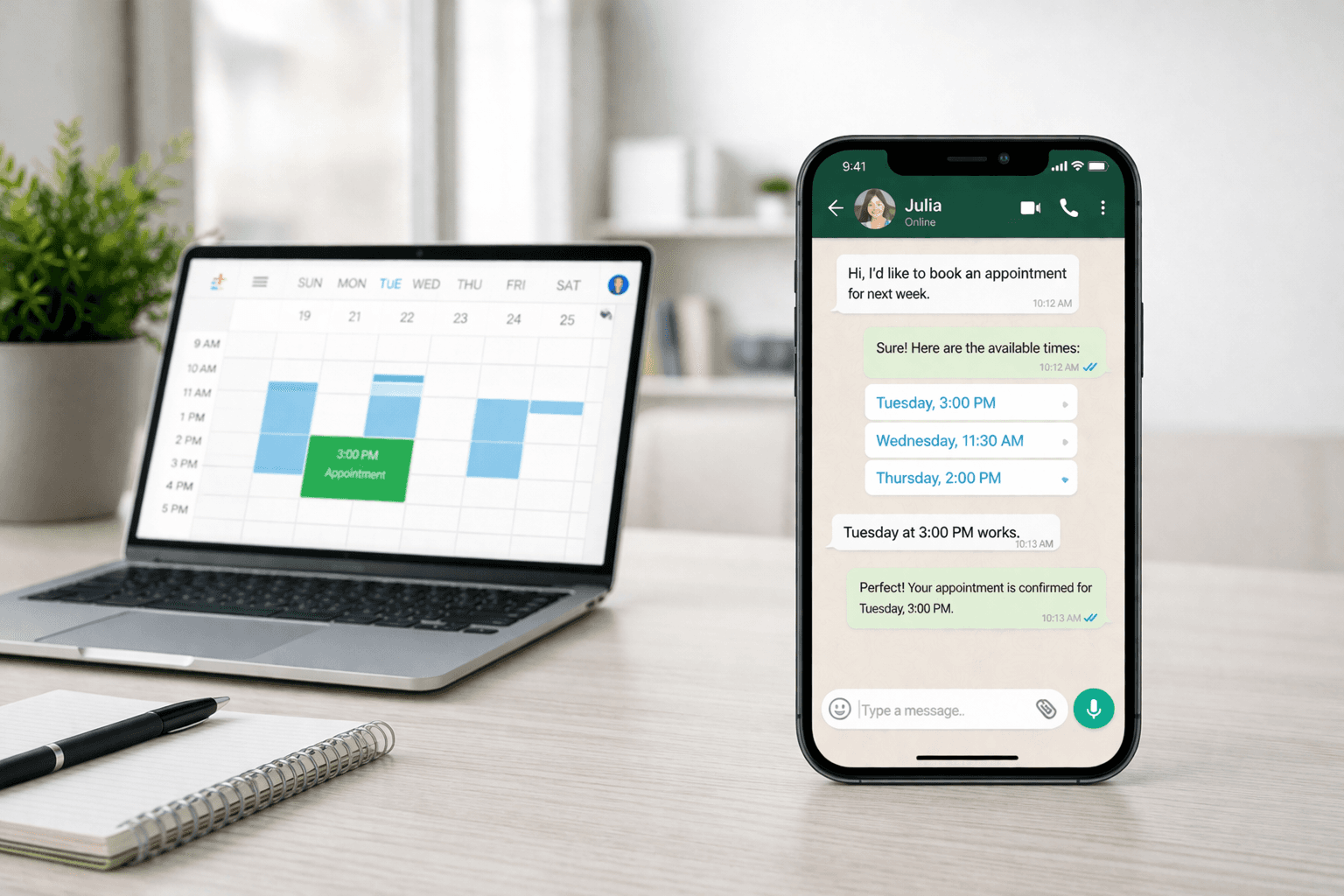
WhatsApp AI for appointment booking uses an AI agent connected to the WhatsApp Business API to automatically schedule, confirm, remind, and follow up on appointments, without any manual input from your team.
Prospective customers message your WhatsApp number, the AI agent qualifies their request, checks calendar availability in real time, and confirms the booking in under 60 seconds.
The entire process replaces back-and-forth phone calls and email threads with an instant, conversational experience on the channel your customers already use.
Quick Answer
WhatsApp AI for appointment booking connects an AI agent to your WhatsApp Business number. When a prospective customer sends a message, the agent asks qualifying questions, offers available time slots, confirms the booking, and sends automated reminders, all within the WhatsApp conversation. Businesses using WhatsApp AI for bookings report up to 40% fewer no-shows (thanks to automated reminders) and a 3x increase in booking completion rates compared to web-based forms. It works for any industry that relies on scheduled appointments: healthcare, beauty, automotive, real estate, B2B services, and more.
What Is WhatsApp AI for Appointment Booking?
WhatsApp AI for appointment booking is the automation of the end-to-end scheduling process inside WhatsApp using an AI agent. Unlike a traditional booking form on a website, which requires the customer to navigate to a URL, fill out fields, and wait for a confirmation email, WhatsApp AI handles everything within a single conversation thread.
The AI agent connects to:
Your calendar or scheduling system (Google Calendar, Calendly, HubSpot, Salesforce, or a custom CRM) to check real-time availability
Your WhatsApp Business API number to send and receive messages
Your notification system to trigger reminders, confirmations, and follow-ups via approved WhatsApp message templates
The result is a booking experience that feels like texting a knowledgeable assistant — fast, personal, and available 24/7.
How WhatsApp AI Appointment Booking Works: Step by Step
Step 1: The Prospective Customer Initiates Contact
The prospective customer reaches your WhatsApp number via a Click-to-WhatsApp ad, a QR code at your location, a link on your website, or a direct referral. The AI agent responds within seconds with a greeting and opening options.
Step 2: Qualification
Before showing available slots, the AI agent asks 2–4 qualifying questions: service type, location or team member preference, urgency, and any relevant background information. This ensures the right slot is offered, not just the next open calendar slot.
Step 3: Availability Check and Slot Selection
The AI agent queries your calendar in real time and presents 2–3 available time slots as quick-reply buttons. The prospective customer selects one with a single tap.
Step 4: Confirmation
The agent confirms the booking details, captures any remaining information (name, contact details, service notes), and sends a confirmation message via an approved WhatsApp template. The appointment is simultaneously created in your calendar system.
Step 5: Automated Reminders
WhatsApp AI sends reminders at intervals you configure — typically 24 hours before and 2 hours before the appointment. Reminders use Meta-approved templates and can include a reschedule option, reducing no-shows without requiring any manual follow-up.
Step 6: Post-Appointment Follow-Up
After the appointment, the agent can automatically send a satisfaction check, request a review, offer a follow-up booking, or trigger a nurture sequence depending on what was discussed.
Key Features of WhatsApp AI Appointment Booking Systems
Real-Time Calendar Integration: The AI agent must read and write to your calendar live. Stale availability data leads to double bookings and a broken customer experience. Look for native integrations with Google Calendar, Outlook, and your CRM.
Conversational Qualification: A rules-based flow handles structured bookings well (fixed services, fixed team members). An AI agent handles open-ended requests better, when a prospective customer says "I need something for my back" instead of selecting "physiotherapy session," the AI agent interprets intent and routes correctly.
Meta-Approved Templates for Reminders: Outbound WhatsApp messages require pre-approved templates. Your booking system needs a library of approved reminder and confirmation templates, or the ability to submit new ones through a Business Solution Provider (BSP).
Reschedule and Cancellation Handling: Customers cancel. The AI agent should detect cancellation intent within the conversation, offer alternatives, update the calendar automatically, and free up the slot for another booking, all without involving your team.
Handoff to a Team Member: Not every booking query is straightforward. The AI agent should detect when a conversation requires human judgment and transfer it to a sales team member with full context: service requested, questions asked, and answers given.
Analytics: Track booking completion rate, drop-off point in the conversation, no-show rate by reminder type, and revenue booked per channel. These metrics let you optimize the flow over time.
Use Cases by Industry
Healthcare and Wellness
Clinics, physiotherapy practices, and wellness centres use WhatsApp AI to book consultations, send pre-appointment intake forms, and remind patients about upcoming visits. Patients respond to WhatsApp reminders at a higher rate than automated phone calls.
Beauty and Personal Care
Salons, barbershops, and spas replace phone-based booking with WhatsApp AI. The agent shows available staff and time slots, handles colour or treatment consultations via chat, and sends before/after care instructions post-appointment.
Real Estate
Agencies use WhatsApp AI to qualify prospective buyers or tenants and schedule property viewings. The agent filters by budget, location, and property type before booking, ensuring sales team members only meet with qualified prospects.
B2B Services and Consulting
Professional services firms book discovery calls and demos via WhatsApp AI. The agent qualifies company size, use case, and urgency, then schedules the call directly into the relevant consultant's calendar.
Education
Training providers book intake interviews, taster sessions, and enrolment appointments. The AI agent handles common questions about course content and prerequisites before confirming the slot.
How to Implement WhatsApp AI for Appointment Booking
1. Get Access to the WhatsApp Business API
The free WhatsApp Business app does not support automation, multi-agent access, or calendar integrations. You need the API, accessed through a Meta-approved Business Solution Provider (BSP). Your chosen platform should handle this setup.
2. Connect Your Calendar
Map your team members' calendars to the AI agent. Define booking rules: minimum notice period, buffer time between appointments, maximum daily bookings per staff member, and blackout dates.
3. Build Your Booking Flow
Define the qualification questions the AI agent asks before showing slots. Keep it to 2–4 questions maximum, enough to route correctly, not so many that the prospective customer drops off.
4. Create and Submit Reminder Templates
Submit your confirmation and reminder message templates to Meta for approval. Templates must be non-promotional in tone. Approval typically takes 24–48 hours for standard templates.
5. Test End-to-End Before Going Live
Run through the full flow as a prospective customer before launch. Test edge cases: what happens when no slots are available, when the customer asks an off-script question, when they want to cancel. Ensure every path ends with a clear outcome.
6. Monitor and Optimise
Track where prospective customers drop off in the booking flow and why. An AI agent that sees high drop-off at the slot selection step signals a calendar availability problem. Drop-off at qualification signals too many questions or unclear options.
Frequently Asked Questions
What is WhatsApp AI for appointment booking?
WhatsApp AI for appointment booking is a system that uses an AI agent connected to the WhatsApp Business API to automate scheduling. When a prospective customer messages your WhatsApp number, the AI agent qualifies their request, shows available slots, confirms the booking, and sends reminders, all without manual input from your team.
Does WhatsApp AI for appointment booking work without the WhatsApp Business API?
No. The free WhatsApp Business app only supports basic auto-replies and quick responses. Real appointment booking automation, with calendar integration, multi-step conversations, and automated reminders, requires the WhatsApp Business API connected through a BSP.
Can WhatsApp AI handle cancellations and rescheduling?
Yes. The AI agent detects cancellation or reschedule intent in the conversation, updates your calendar automatically, offers alternative slots, and confirms the change, without any involvement from your team.
What happens when the AI agent can't handle a booking request?
A well-designed AI agent recognises when a request falls outside its scope and transfers the conversation to a sales team member with full context: the customer's name, what they requested, questions asked, and answers given. The team member picks up the conversation without asking the customer to repeat anything.
How long does it take to implement WhatsApp AI appointment booking?
With a managed solution like Uptail, the typical time-to-launch is 1–3 weeks. This includes API access setup, calendar integration, flow design, template submission and approval, and testing. Self-serve platforms can take longer depending on internal technical resources.






