
Carlos Delgado
Quick Answer
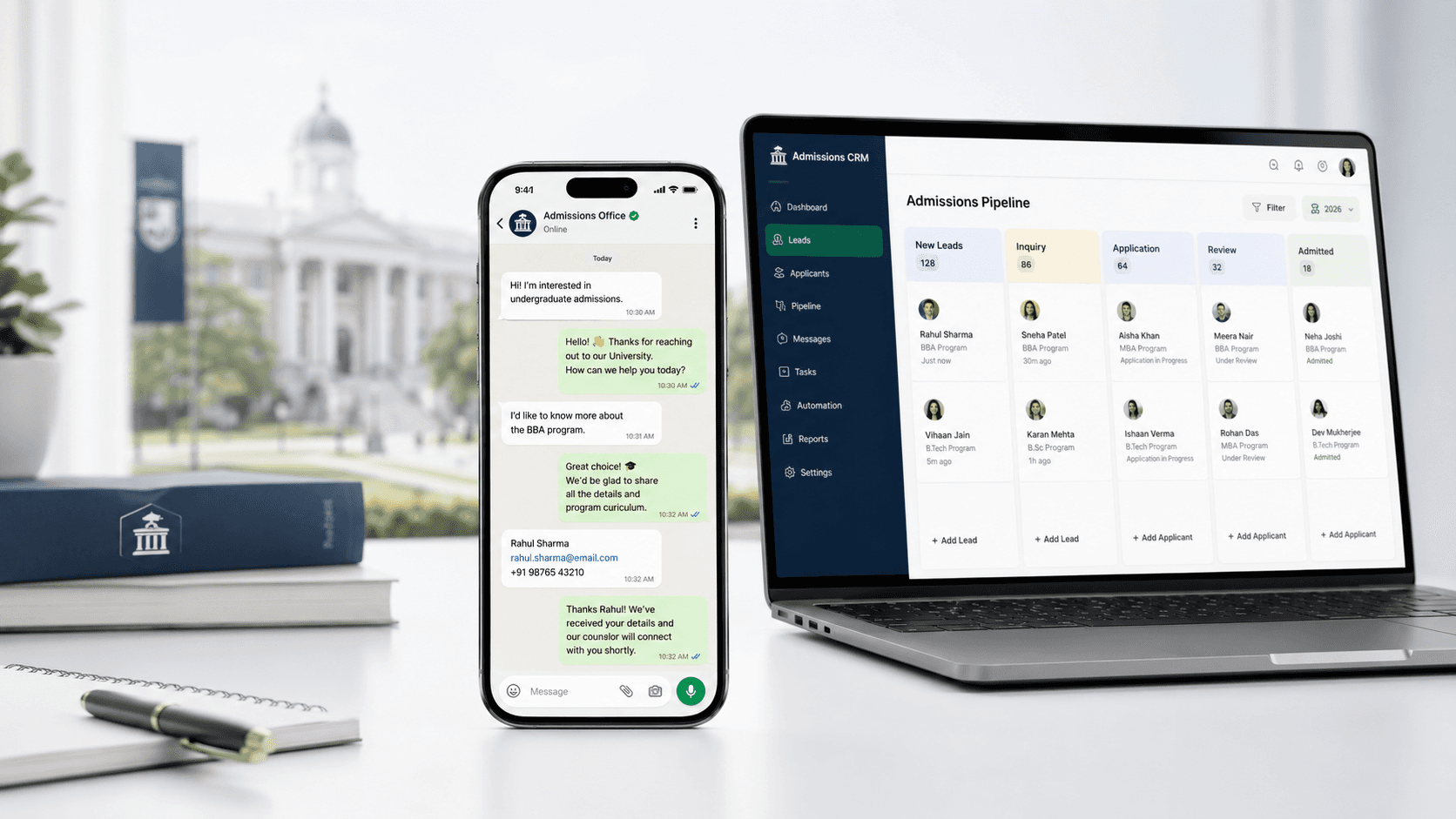
A WhatsApp CRM for universities connects your WhatsApp admissions conversations to your student management or CRM system, so every enquiry, qualification data point, and conversation history lands automatically in the right student record. This guide covers how it works, which CRMs integrate well, and what to set up first.
Why Most Universities Have a WhatsApp Data Problem
WhatsApp has become one of the primary channels for student enquiries, especially from international markets. But for most universities, those WhatsApp conversations exist in a parallel universe: handled on personal phones, saved in individual chat histories, and completely invisible to the CRM.
The result is a fragmented picture of every student. An advisor knows what they discussed in WhatsApp, but that context doesn't exist when a colleague picks up the conversation, when the student calls the admissions line, or when a manager reviews pipeline data. You're running a modern communication channel on top of a disconnected data architecture.
A WhatsApp CRM integration fixes this. Every conversation is captured, every data point is structured, and every student record in your CRM reflects the full interaction history, regardless of which channel it happened on.
What a WhatsApp CRM Integration Actually Does
Captures all conversations automatically
Every WhatsApp exchange is logged against the student record in your CRM in real time. No manual data entry, no missed notes.
Syncs qualification data as structured fields
When an AI agent qualifies a student — programme interest, intake date, academic background, funding situation — those responses populate the corresponding CRM fields automatically. Your advisors open the record and see a complete profile, not a chat transcript they have to read through.
Triggers CRM workflows from WhatsApp actions
A student booking a consultation via WhatsApp creates a task in the CRM. A student going silent triggers a follow-up sequence. A student expressing interest in a scholarship flags them for the financial aid team. WhatsApp events become CRM events.
Enables team visibility across all WhatsApp conversations
Instead of enquiries living in individual advisors' phones, all WhatsApp conversations are visible in a shared team inbox. Anyone can pick up a conversation with full context.
Which CRMs Integrate Well
Salesforce
The most widely used CRM in higher education and the most robust integration target. Uptail and other WhatsApp platforms connect via Salesforce's API, syncing contact records, conversation logs, and custom fields. Native Salesforce WhatsApp integrations exist but are limited, third-party platforms provide significantly more capability.
HubSpot
Strong integration support and widely used by smaller institutions and private education providers. HubSpot's native WhatsApp integration handles basic message logging; AI-powered qualification and booking require a third-party layer.
Slate (Technolutions)
The dominant CRM for admissions-specific workflows in North America and increasingly used in the UK and Europe. WhatsApp integration with Slate requires a middleware layer.
Microsoft Dynamics 365
Used by some larger university systems. Integration is possible via API but requires more configuration than Salesforce or HubSpot. Check with your platform provider on Dynamics-specific support.
The Integration Architecture
Most WhatsApp CRM integrations work like this:
Student sends a WhatsApp message
Message is received by the WhatsApp Business API
AI agent handles the conversation and captures structured data
Data is pushed to CRM via API in real time
CRM triggers any relevant workflows (task creation, stage update, alert to advisor)
You don't need to build this yourself. Platforms like Uptail manage the WhatsApp API connection, the AI layer, and the CRM integration as a single system.
What to Set Up First
Define your qualification fields
Before connecting WhatsApp to your CRM, agree on the data fields that matter. Programme of interest, intake term, qualification level, funding type, decision timeline, these need to exist as structured CRM fields before the integration can populate them.
Map your conversation stages to CRM stages
First enquiry, qualified, consultation booked, offer made, enrolled, define where WhatsApp conversations sit in your pipeline and how stage progression is triggered.
Set up the team inbox
Move WhatsApp away from individual phones and into a shared platform where all conversations are visible, assignable, and searchable.
Test with a small cohort first
Before routing all enquiries through the integrated system, run a two-week pilot with a subset of incoming leads. Verify data is landing correctly in CRM before scaling.
Common Integration Mistakes
Treating WhatsApp as a broadcast tool only
CRM integration is most valuable for inbound conversations, not just outbound campaigns. Make sure your integration captures both directions.
Not defining escalation rules
When a student raises a sensitive issue — financial hardship, health concerns, visa complications — the AI should escalate immediately to a human. Define these triggers before go-live.
Ignoring GDPR and data residency
WhatsApp conversations involving EU students are subject to GDPR. Verify that your platform provider's data storage is compliant with your institution's data governance requirements before connecting to your CRM.






