
Carlos Delgado
WhatsApp Objection Handling: How AI Agents Respond
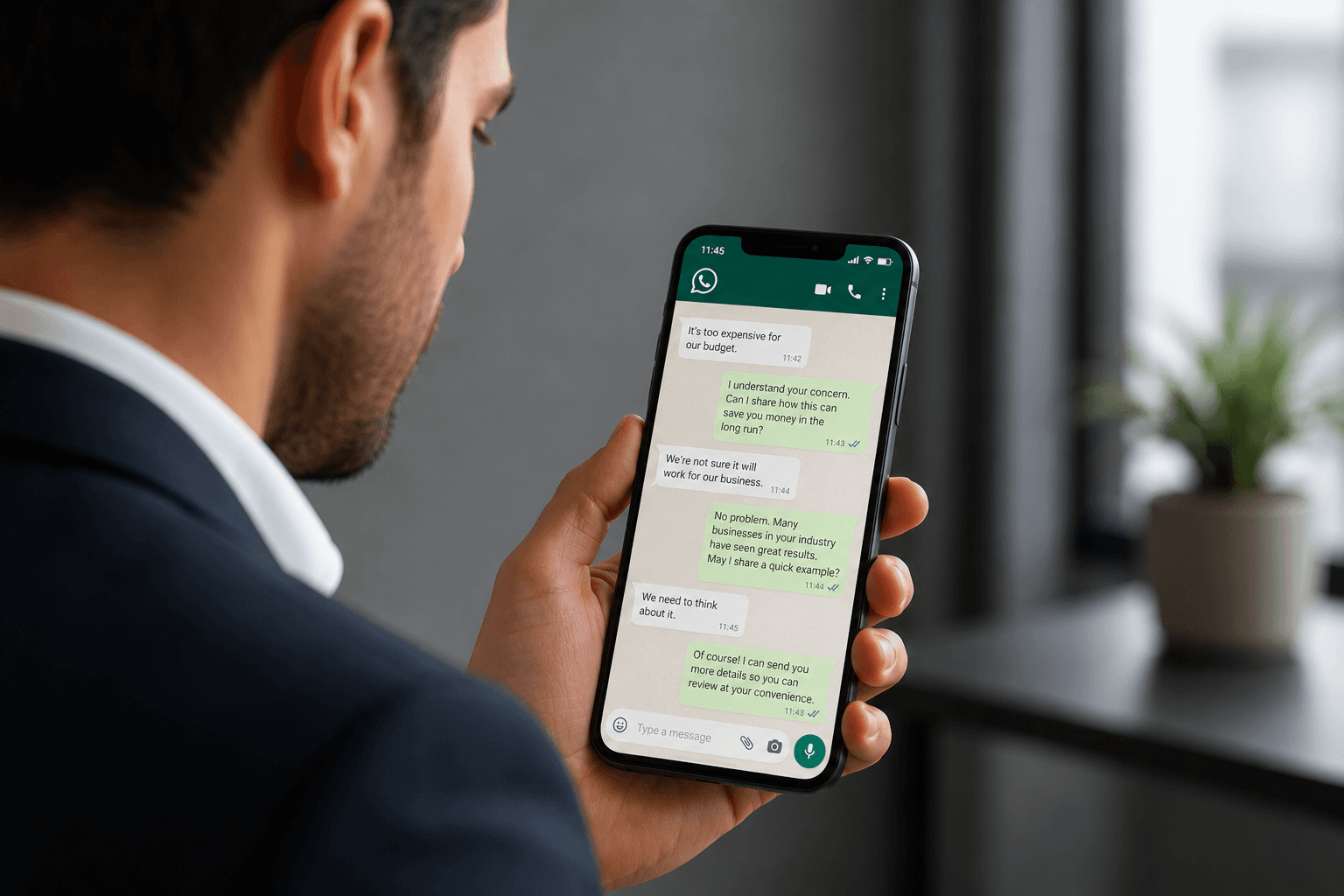
WhatsApp objection handling is harder than phone and easier than email. Harder because there is no tone of voice, no facial expression, no real-time read on how the message landed. Easier because the lead is already engaged enough to reply.
Most sales teams treat a WhatsApp objection the same way they treat an email reply: send a block of text with more information. That kills the conversation. WhatsApp is a two-way channel.
The right response is short, empathetic, and designed to extend the dialogue, not close it in one shot.
AI agents that handle this well do not argue. They defuse and re-engage.
Quick Answer
The nine most common B2C sales objections on WhatsApp all have effective AI reframes, provided the agent acknowledges the lead's position before pivoting. Effective handling on WhatsApp means short responses, open questions, and matching the lead's message length and energy. Three categories of objection should never be automated: complaints from existing customers, anything legally or financially sensitive, and conversations where the lead's emotional state signals distress.
9 Common B2C Objections and How AI Agents Reframe Each One
The principle across all nine: acknowledge first, pivot second. Skipping the acknowledgement and going straight to the value pitch feels like the agent did not read the message. Leads notice.
Objection | AI Reframe Approach |
|---|---|
"Too expensive" | Acknowledge, then anchor to value or offer a comparison. "What were you expecting to invest?" surfaces real intent. |
"Send me info" | Acknowledge, ask one question to personalise the info. Avoid sending a generic brochure link. |
"Let me think about it" | Acknowledge, offer a specific reason to decide sooner (limited places, price increase). Ask what is still unclear. |
"No time right now" | Acknowledge, offer a specific short option. "Takes 5 minutes, I can send 3 times that work." |
"I'll call later" | Acknowledge, offer to book a specific slot so the call is confirmed rather than aspirational. |
"I'm just browsing" | Acknowledge, reduce the ask. Move from booking to a lower-commitment next step. |
"I need to ask my partner" | Acknowledge, offer to make it easier. Ask if there is a question the partner is likely to raise. |
"I already use a competitor" | Acknowledge, do not attack the competitor. Ask what they wish their current solution did better. |
"I don't trust AI" | Acknowledge directly. Explain that a human reviews conversations. Offer to transfer immediately if preferred. |
The "I don't trust AI" objection is increasingly common in 2026 and requires direct handling. Deflecting it with a generic response confirms the concern. Acknowledging it honestly, and offering a human fallback immediately, resolves it faster than any amount of reassurance.
Step-by-Step: How AI Agents Handle Objections on WhatsApp
Match message length: If the lead sends eight words, the first response should not be 200 words. Short messages signal a low-investment moment. Meet them there and earn the longer conversation.
Acknowledge before pivoting: Every reframe starts with a one-sentence acknowledgement. "That makes sense." "Fair point." "A lot of people ask the same thing." This is not filler. It is the signal that the agent read the message.
Ask one open question: After the acknowledgement, one open question outperforms any amount of information. "What's the part you're most uncertain about?" surfaces real objection content. Yes/no questions ("is price the issue?") give you nothing useful.
Personalise the reframe using available context: The agent knows the lead's name, the product or course they enquired about, and the channel they came from. A reframe that references those specifics converts at a higher rate than a generic script. "Given you came from the data science course page, I'm guessing the time commitment is a factor" is better than "Let me tell you more about our courses."
Reduce the ask when resistance is high: If the lead is objecting to the booking, offer something smaller. A short video, a specific answer to their question, a 10-minute call instead of a 45-minute one. Lowering the barrier keeps the conversation moving.
Set a specific follow-up time rather than leaving it open: "I'll check back in on Thursday" is better than "feel free to message anytime." Open-ended follow-ups die. Specific ones convert.
3 Objection Handling Scripts by Industry
Education
Objection: "It's a big investment, I need to think about it."
Agent response: "Completely understand, it is a significant commitment. What would help you feel more confident about the decision? Most people at this stage are wondering about job placement rates or whether they can manage it alongside work. Which one is closer to what you are thinking?"
This response acknowledges, surfaces the real objection, and gives the lead two specific options, which makes it easy to reply without feeling put on the spot.
Real Estate
Objection: "I'm just browsing at the moment."
Agent response: "No pressure at all. If you did find something that felt right, what would need to be true for you to move quickly? Just helps me know what to flag if something relevant comes up."
This response accepts the low-commitment framing while planting a future-oriented question that reveals buying criteria. The lead is still browsing, but now the agent has useful information.
Health and Beauty
Objection: "I'm not sure if now is the right time for me to book the treatment."
Agent response: "Totally understand, it is not a small decision. What's the part you are least sure about? Most people at this stage are weighing recovery time, cost, or whether the result will be what they are hoping for. I can send across information on whichever one is on your mind."
This moves a vague hesitation into a specific question the agent can actually help with. The lead keeps control of the decision while the agent stays useful, not pushy.
Mistakes That Quietly Kill WhatsApp Objection Handling
Scripts that are too long: A 150-word response to a 10-word objection signals that the agent is not reading the lead, it is following a script. On WhatsApp, long responses do not get read. They get ignored.
No acknowledgement before the pivot: Going straight from "too expensive" to "let me tell you about our payment plans" feels dismissive. The acknowledgement takes one sentence and changes the entire tone of what follows.
Yes/no questions: "Is price the main concern?" gives you a one-word answer that reveals nothing. "What's driving the hesitation?" opens the conversation.
Automating complaint handling: A customer with an existing problem who contacts sales through WhatsApp is not a lead to qualify. Routing them through a qualification flow before escalating to a human creates a second reason to be angry. Hard-escalate complaints immediately.
Generic templates with no personalisation: If the reframe does not reference anything specific to that lead, it reads as a broadcast message. Leads who feel they are getting a bulk response stop replying. The personalisation does not need to be elaborate, name, product interest, and channel are enough to signal that the agent is paying attention.
The single most common failure in WhatsApp objection handling is treating the channel as a broadcast medium with a reply function attached. It is a conversation. Every response from the agent should make it slightly easier for the lead to say something useful.
When that is the frame, objection handling stops being a confrontation and starts being a qualification tool.






